Last week we found a scanned letter from 1897 that we wanted to quote in a piece of writing. Looping cursive, faded ink, beautiful to look at. It was also completely unreadable to copy by hand without making mistakes every other word.
This problem comes up a lot more than you'd think. Old family letters. Lecture notes someone photographed on their phone. A whiteboard from a meeting you couldn't attend. Doctor's notes. A page from a journal you want to make searchable. Anything written by a human, captured as an image, that you now wish was typed.
Until recently, the only way to handle this was to type it out yourself. Regular OCR tools, the kind that read printed text, fall over the second they hit cursive or anything sloppy. They were built for clean, printed pages, not the way people write.
AI handwriting recognition is different. It can read messy handwriting, including cursive, including old documents where the ink has faded. We use it constantly. Here's how to do it in a browser, in about ten seconds.
Capture the handwritten image
Open the image in your browser, whether it's a photo, a scanned PDF page, an attachment, or something on a web page. Then click the VZLyze icon in your toolbar and capture the area containing the handwriting.
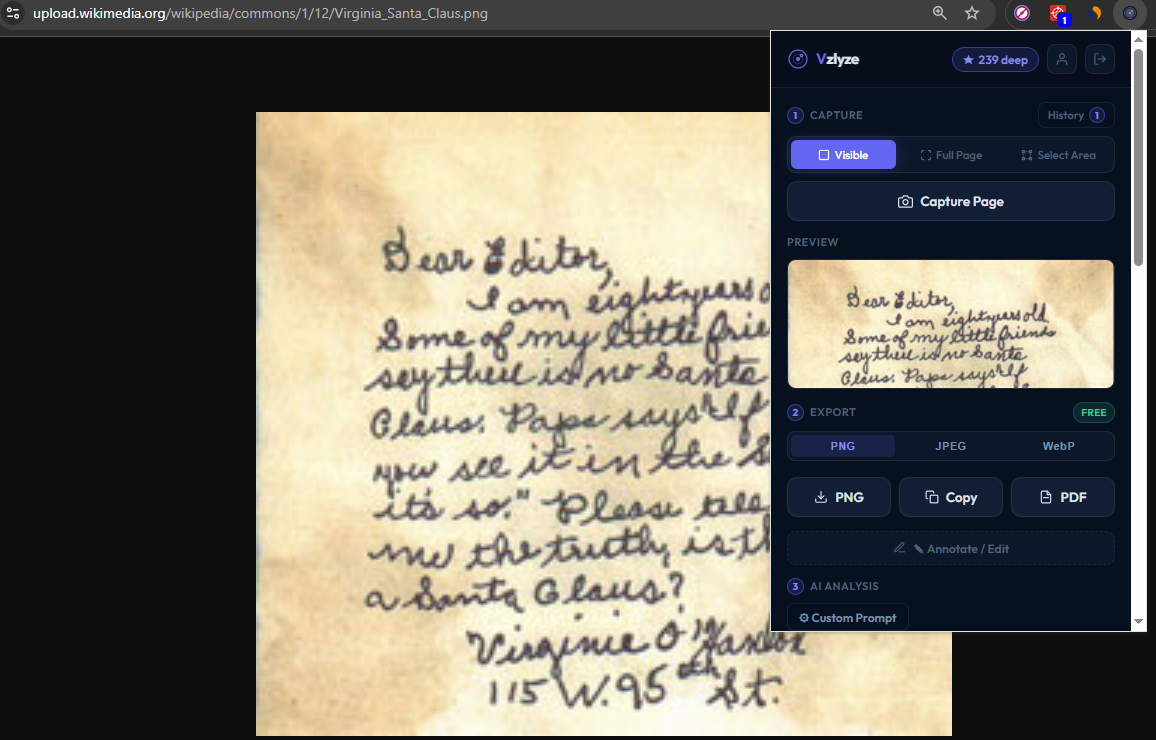
You can capture the visible viewport, the full page, or draw a region around just the handwriting. For one note in the middle of a page, the region capture is usually fastest.
Choose "Extract Handwriting"
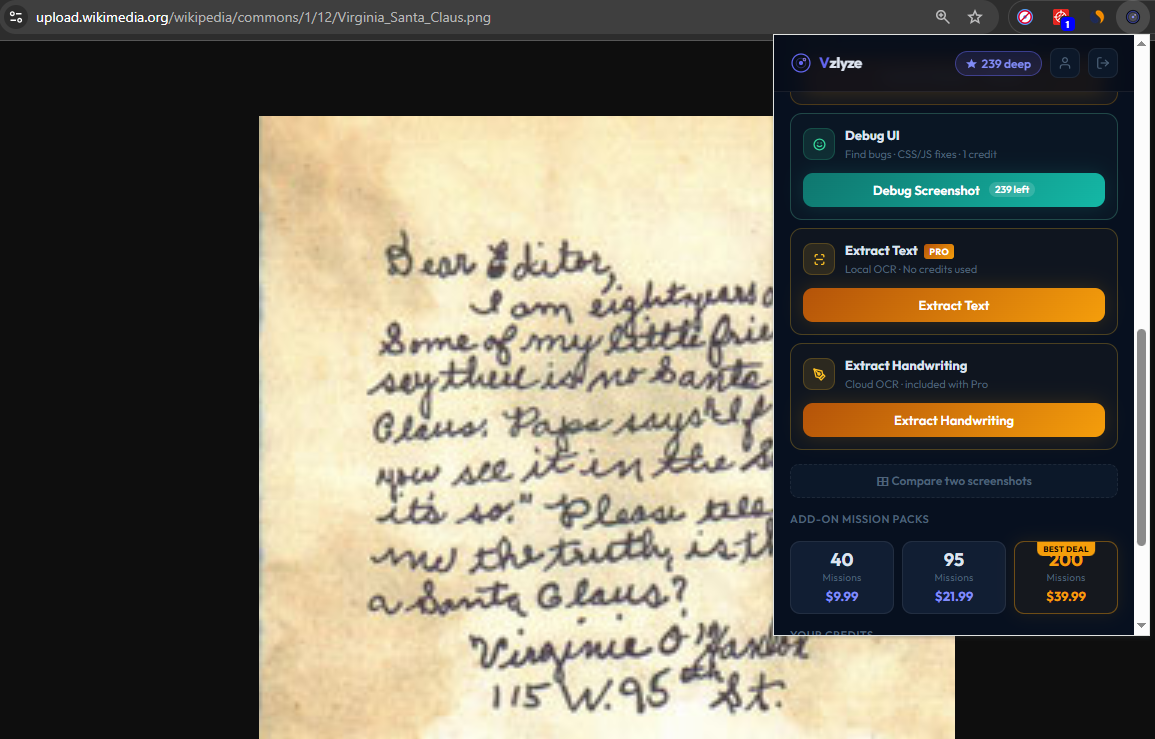
Once the capture is in the popup, open the menu and choose Extract Handwriting. There's also an Extract Text option right next to it, but that one is for printed text and can't read cursive or sloppy writing. For anything handwritten, use the dedicated handwriting option.
Read the transcribed text
A few seconds later, the typed version of the handwriting shows up in the result panel. From there you can copy it, paste it into a document, or export the whole thing as a PDF.
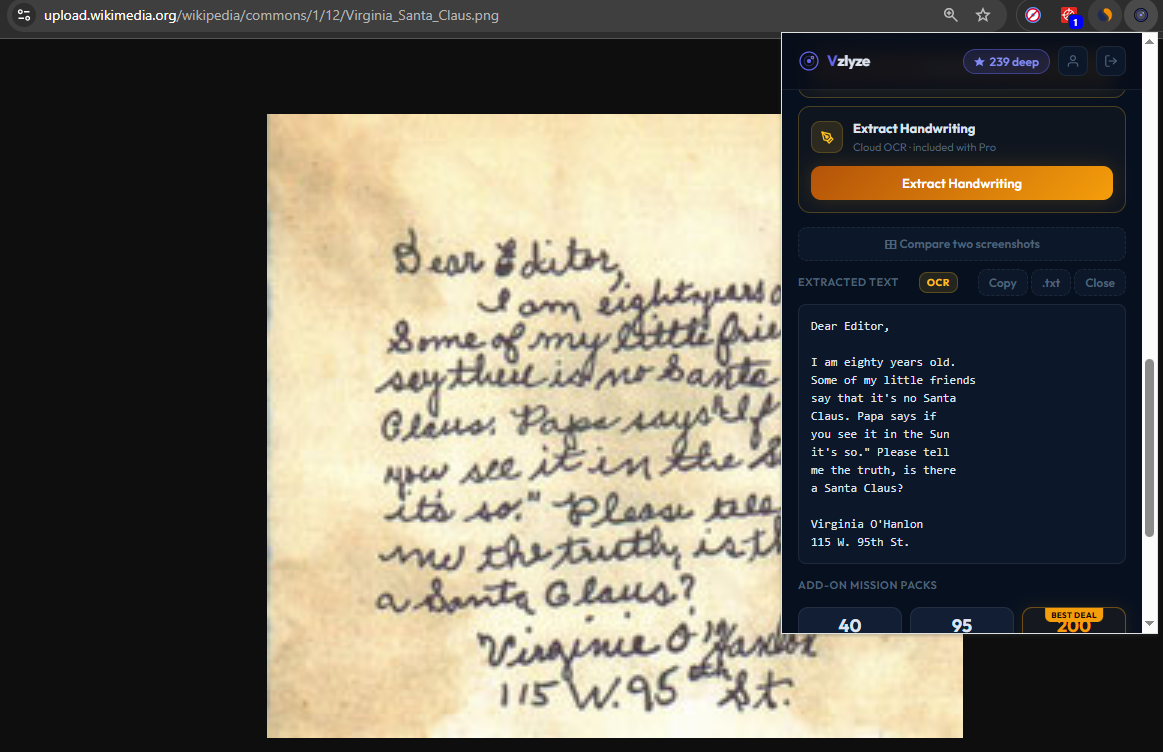
That's it. Three clicks, give or take, and a page of handwriting becomes text you can search, edit, and share.
What it's good at, and where it falls short
We've thrown a lot of different handwriting at this. The pattern that's emerged is consistent. Cursive, print, mixed cursive and print, faded ink, slanted text, old documents, lecture notes, recipe cards, journal entries, signed letters, whiteboard photos taken at a reasonable angle. All of those read well. Numbers, dates, and proper nouns come through accurately most of the time.
Where it struggles is when the source image gets in its own way. Illegible handwriting is the obvious one: if a human can't read it, the AI usually can't either. It won't hallucinate text out of nowhere, but it'll skip or mark uncertain words. Photos taken at sharp angles cause similar issues. A page photographed flat on a desk works much better than one shot from a phone held over a notebook at 45 degrees. Same story with glare and shadow, where the read on the dark half of a page is always going to be worse than the lit half.
Two other categories are the wrong tool entirely. Specialized notation like mathematical equations, musical notation, and chemistry formulas needs purpose-built tools. Tabular data is also better handled by the dedicated table extraction flow. And multi-column or unusual layouts (a scrapbook page with text running in three directions) take more cleanup after the fact than just transcribing in order.
For 95% of normal handwriting captured in a normal way, it's accurate enough that you'll spend less time fixing the output than you would have spent typing the whole thing.
A few situations we use this for
Some of the things we've used handwriting extraction for recently:
- Pulling notes off a whiteboard photo after a meeting, so we can paste them into a doc instead of squinting at a phone.
- Digitizing a stack of handwritten recipe cards from a grandparent, turning a shoebox into a searchable document.
- Reading old letters from genealogy research, where the cursive style was hard to parse but worth quoting accurately.
- Transcribing handwritten interview notes into a typed file before the memory of which scribble means what fades.
- Reading doctor's notes, the punchline of every joke about bad handwriting, but a real use case.
None of these are exotic. They're just things that used to take twenty minutes of typing, and now take ten seconds plus a quick proofread.
What about privacy?
Handwritten material is often personal: letters, journals, medical notes. Worth being clear about how the feature works. Handwriting extraction sends the image to a cloud model to read it. The image and the extracted text aren't used to train any AI. If a particular note is sensitive enough that you'd rather not let it leave your machine, type it out manually and skip the tool. For everything else, the privacy tradeoff is the same as any other cloud service you already use.
Try it on your own handwriting
VZLyze is free to install. Handwriting extraction costs one credit per run — Quick on Starter, Deep on Pro and Business.
Get VZLyze for Chrome